CC Menu Bar: Monitor App for Claude Code
17 May 2026
Download CC Menubar v1.0.1 (4 MB)
Requires macOS 15+ (Sequoia). Open the DMG, drag to Applications, launch. The
</> icon appears in your menu bar.
Like anyone else in tech I’m heavily using agentic coding right now. I work across many projects at the same time – different customers, internal work, personal projects. Sometimes I’m in an IDE, sometimes I just fire up a new session in the terminal.
It’s easy to lose track.
The AI vendors are many things, but builders of really good, simple UI for their products — not yet. Sometimes (oftentimes!) I just want an at a glance view of what I’ve got running, or instantly open a plan that my friendly coding agent is working on.
That information is available, just not surfaced very well. My choice of agent
is Claude Code (hardly original, I know). It stores everything locally — session
transcripts, configuration, project metadata — in ~/.claude/. There’s
project-level configuration too, but I’ve been happy to mostly use that main
folder as Claude’s “workspace”.
Agentic coding, for me, includes an new and ongoing string of questions. Didn’t my little buddy draft up a plan for this last week? That big old “one shot” attempt, what task is it on? Just how many sessions am I running right now anyway?
Like every other engineer, I’ve got my selection of skills and tools. I like Linear for project tracking, for instance. But if I’m in the flow, especially fast prototyping an idea or two, I like to lean to strip it all back to “just me and my agent (plus skills)”. The agents can do phenomenal work, but I’ve read far more stories of solo devs coordinating teams of agents than I’ve used any software they’ve made.
(although I’d consider it a bonus if I get swamped with suggestions!)
When I’m in hyperfocus mode especially, I can happily skip between multiple sessions and code repos. Picking between options, directing research, catching bad decisions. A fair bit of swearing, if I’m honest.
I just needed a simple, information dense panel where I could instantly see all sessions, all projects, all plans, all tasks. Grouped by actual git repo. What’s running now, what was I working on yesterday, what was I working on last week.
I found myself constantly poking around those files to check what was running, how many tokens a session had used, or which projects I’d been working on recently. So I built an app for it.
CC Menubar is a native macOS menu bar app that reads those files and
surfaces the information in a compact, always-accessible panel. It’s strictly
read-only: it never writes to ~/.claude/, never launches processes, and never
makes network requests. Fast, simple, safe, useful.
What It Does
The app gives you a bunch views from a single menu bar icon:
Sessions — See all active and recent Claude Code sessions. Each shows the project it’s attached to, when it started, how many conversation turns have happened, and the current token count. Sessions update in real time as you work.
Projects — Every project Claude Code has touched, with quick access to the project directory and its recent sessions.
Plans — Every plan written to disk, with time window filters to to focus on recent versus older work. Just click to open the plan (on my Mac I’ve installed MarkEdit as the default editor, works great.)
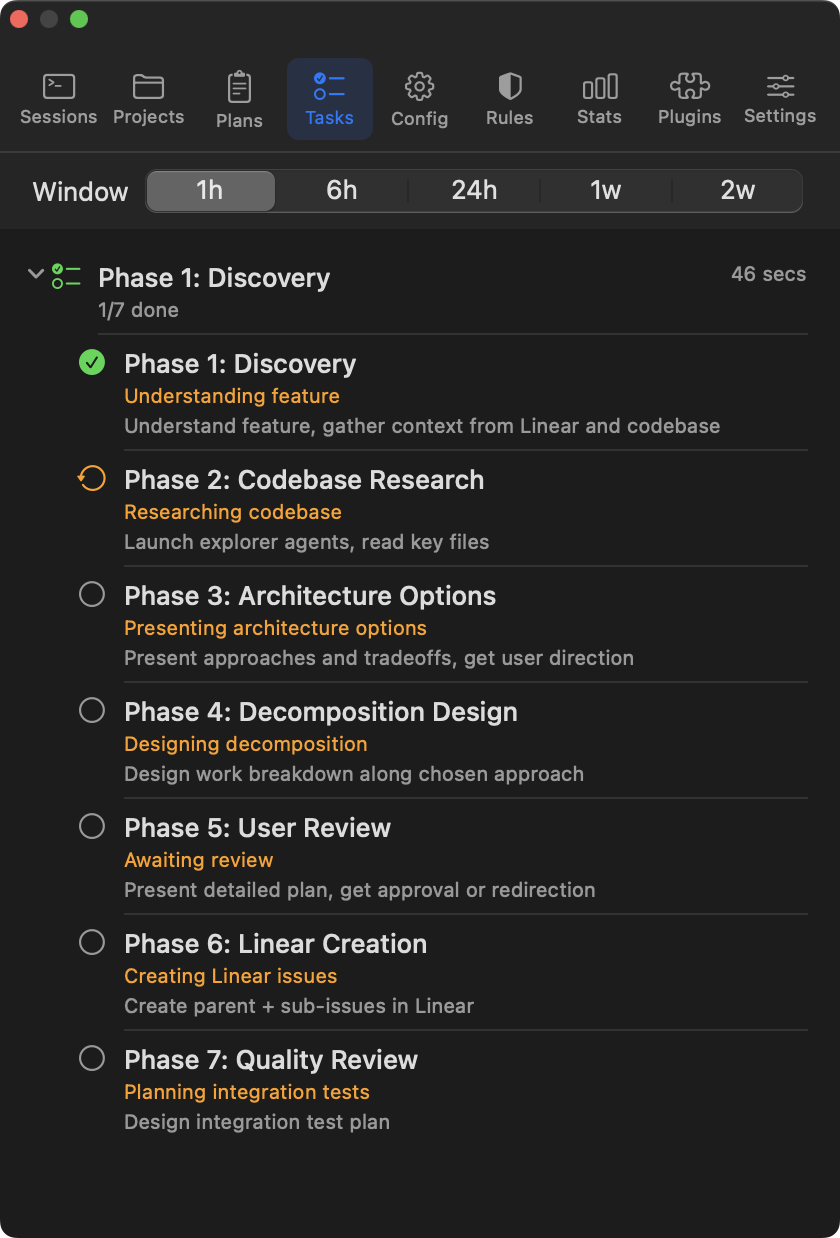
Tasks — I’m a huge fan of the task system. For “big work” I’ll use Linear projects and issues, but even these get converted locally into tasks. The task panel gives you live, collapsible view of progress across all project tasks. It can be very satisfying to take a tea break and watch it go.
Config — A simple overview of what model is configured, effort level.
Rules - Handy little tree view of the rules you have configured.
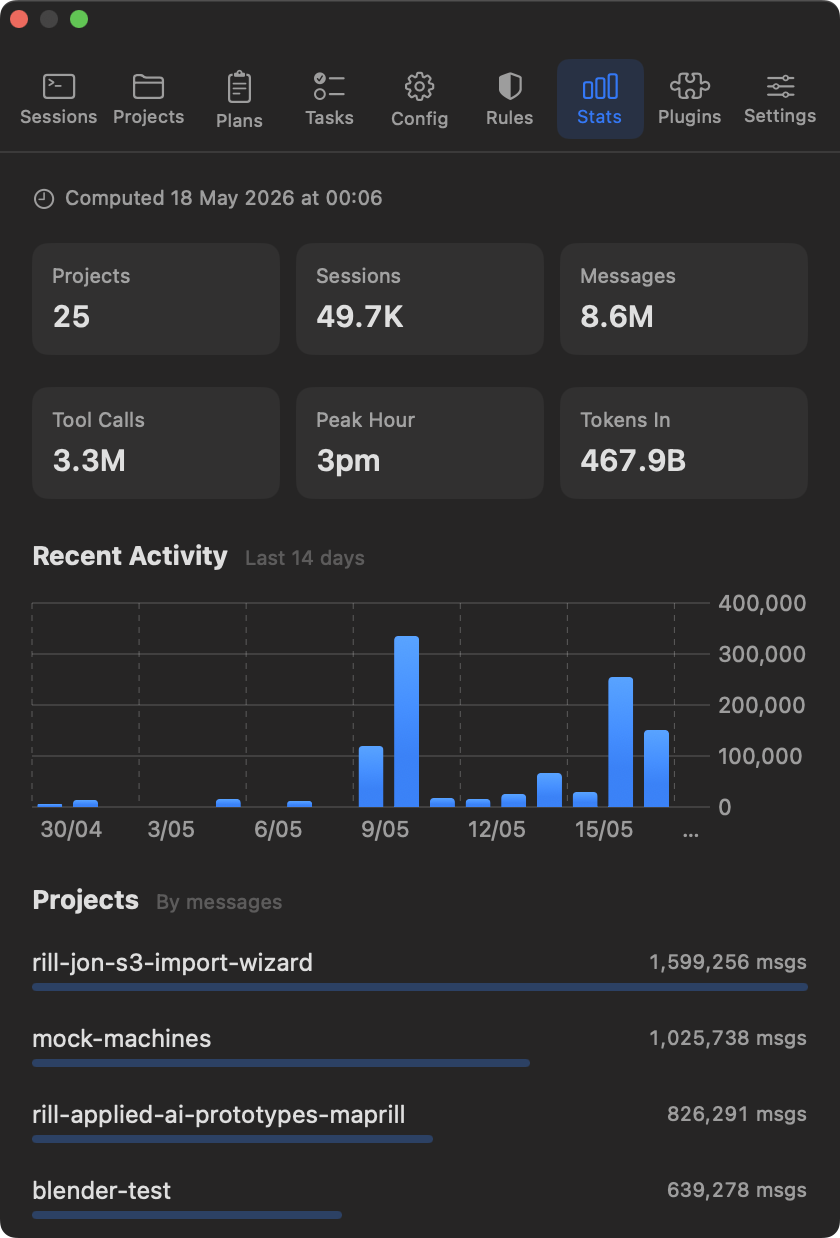
Stats — Aggregated usage data across all your sessions: total tokens consumed, conversation counts, activity patterns over time. Useful for understanding how much you’re actually using Claude Code day-to-day.
Plugins — List of the plugins installed.
Settings — Configure launch-at-login and view account info and connected cloud services.
How It Works
The app monitors ~/.claude/ using macOS FSEvents, the same mechanism Spotlight
and Time Machine use. When any file changes, the app gets notified and re-reads
only what changed.
// FSEvents notifies of changes
FSEventWatcher.watch(paths: ["~/.claude/"]) { events in
    // Route to the right service based on path
    for event in events {
        if event.path.contains("/projects/") {
            projectService.refresh()
        } else if event.path.contains("/statsig/") {
            statsService.refresh()
        }
    }
}All file I/O happens on background threads using Swift’s structured concurrency. The UI thread never blocks on disk reads. The app consumes effectively zero resources when idle.
The app needs macOS 15 (Sequoia) because it uses Swift 6’s strict concurrency model and the latest SwiftUI APIs.
Safe and Read-Only
CC Menubar never writes to Claude Code’s files. It doesn’t modify configuration, inject settings, or interfere with running sessions in any way.
Claude Code owns ~/.claude/. A monitoring tool that writes to those files
risks corrupting state, confusing the running CLI, or creating subtle bugs. By
being strictly read-only, CC Menubar is safe to run alongside Claude Code at all
times with zero risk of interference.
Download
Download CC Menubar v1.0.1 (4 MB)
Requires macOS 15+ (Sequoia). Open the DMG, drag to Applications, launch. The
</> icon appears in your menu bar.
System requirements:
- macOS 15 (Sequoia) or later
- Works on Apple Silicon and Intel Macs
- Uses ~15 MB of RAM when idle
The app is signed and notarized by Apple — Gatekeeper will let it through without any warnings.
Built with Swift 6, SwiftUI, AppKit, and of course, Claude Code.